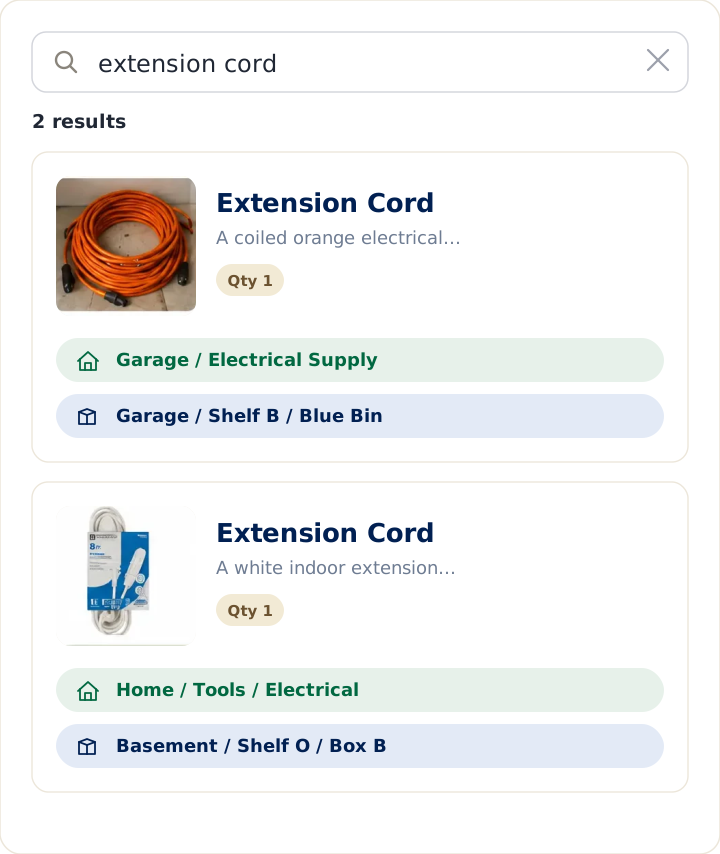
Notion can absolutely hold a home inventory. Its template marketplace has a whole category for it, and a well-built Notion database — with photos, locations, and values — is a real system. But Notion and LivingLedger answer different questions. Notion answers "Can I build a system for this?" (yes, you can build almost anything). LivingLedger answers "Where did I put it?" — the question you're actually asking when the tape measure has vanished again.
This is an honest comparison of Notion and LivingLedger for keeping a home inventory. Notion is a phenomenal general-purpose workspace with a generous free plan; LivingLedger is a single-purpose app for finding what you already own. Where Notion is stronger, this guide says so plainly. The goal is to help you choose the right tool, not to sell you one.
A note on accuracy: every Notion fact below is drawn from Notion's own website, template marketplace, or published documentation. Where a detail isn't published by Notion, this guide leaves it out rather than guess.
Quick answer
Choose Notion if you want to design the system yourself — custom fields for purchase price, warranty dates, and serial numbers, your own views and filters, an inventory that lives beside your notes and projects in one workspace — and you genuinely enjoy building and maintaining it. Notion also has native Android and iOS apps and self-serve export.
Choose LivingLedger if you want the answer, not the architecture — you add items (by photo or by hand), tag where they live, and later search the item's name to see the room, shelf, drawer, or bin where you put it. The structure is already built, so there's nothing to design and nothing to maintain except the list itself.
Who each tool is best for
Notion is built around flexibility. It's an all-in-one workspace — docs, notes, projects, and databases — and a home inventory in Notion is one database among everything else you keep there. That's a genuine strength: your inventory can sit next to your moving checklist, your renovation notes, and your insurance documents, all cross-linked. Notion's databases support custom properties, filters, sorts, and multiple views (a gallery of item photos, a table grouped by room), and its template marketplace offers dozens of ready-made home-inventory starting points, many free. If you're the kind of person who enjoys designing a system — choosing the fields, shaping the views, refining the structure — Notion rewards that energy like nothing else.
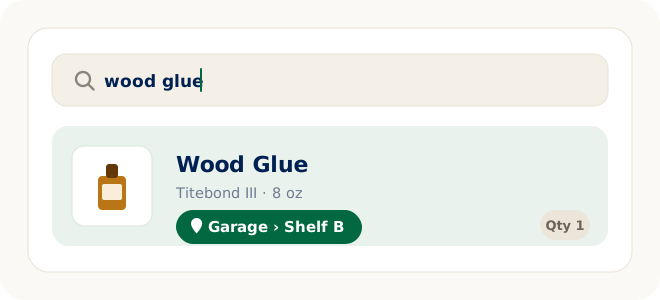
LivingLedger is built to become your home's searchable memory. There's nothing to design: items have a name, a photo, a category, and a location that nests up to three levels deep — Garage, then Shelf B, then Blue Bin. You add an item once, and from then on you search for the item and the app tells you where it is. The free plan has no item cap for manual entry, and the AI photo scan exists to make adding a full shelf or drawer fast enough that the list actually gets built. If your driving need is everyday retrieval — finding the wood glue, the Christmas lights, the spare HDMI cable — LivingLedger is built for exactly that. (See the LivingLedger home inventory app overview for more.)
Neither is "better" in the abstract. Notion is a construction kit; LivingLedger is a finished tool. Match the tool to whether you want to build a system or just want to find your things.
Which tool fits your need?
Both can hold a list of what you own. Match your real goal to the tool built for it:
| Need | Better fit |
|---|---|
| Custom fields (price, warranty, serial number) | Notion |
| One workspace for notes, projects, and lists | Notion |
| Designing your own system from scratch | Notion |
| A native Android app | Notion |
| Remembering where household items are | LivingLedger |
| Adding a full shelf or bin from one photo | LivingLedger |
| Structured locations you don't have to invent | LivingLedger |
| An inventory that survives busy months | LivingLedger |
The sections below walk through the reasoning behind each recommendation.
What a Notion home inventory actually is
It's worth being precise, because "Notion home inventory template" sounds more finished than it is. A template gives you an empty database with a sensible starting structure — properties for item name, location, value, maybe a gallery view by room. What it doesn't give you is the inventory. Every item is a database entry you create; every photo is uploaded by hand; every location is text you type; every move — the drill migrating from the garage to the basement — is an edit you remember to make.
None of that is a criticism of Notion. It's the nature of a general-purpose tool: Notion provides the blocks, and the system is yours — which means the upkeep is yours too. The people who thrive with a Notion inventory are the ones who'd tell you, sincerely, that they enjoy the maintenance. If that's you, Notion may be all you need.
Pricing comparison
Notion has a free plan for personal use that includes databases — for a personal home inventory, many people never need to pay Notion anything. Paid plans add collaboration and other features; check Notion's pricing page for current plans and rates. Home-inventory templates in Notion's marketplace are a mix of free and paid, set by their creators.
LivingLedger is also free to start. Its Pro plan unlocks unlimited AI scanning for personal household use, subject to fair-use limits. You can see current details on the LivingLedger pricing page.
On price alone, both tools let a household get far without paying. The real cost difference isn't dollars — it's time. A Notion inventory is cheap in money and expensive in upkeep; LivingLedger is designed to minimize the upkeep, and charges only if you want unlimited AI-assisted capture.
Free plan comparison
Notion's free plan is genuinely generous for personal use: databases, templates, apps on every platform, and self-serve export. For a solo home inventory, the free plan is rarely the constraint — the constraint is your own data entry.
LivingLedger's free plan is a complete manual inventory with no item cap. You can log your entire home — every bin, drawer, and shelf — by hand, for free. The 50 lifetime AI scan credits are there if you want the convenience of adding items by photo; manual entry is always unlimited.
Both free plans are real, usable systems rather than trials. The difference is what you're spending instead of money: in Notion, you invest design and typing; in LivingLedger, the structure is prebuilt and capture is designed to be as close to effortless as an inventory can honestly get.
Adding items: typing vs. photographing
This is where the two tools diverge most in daily life.
In Notion, adding an item means creating a database entry: type the name, type or pick the location, attach a photo if you want one, fill any custom fields. For a handful of items that's pleasant. For a garage of two hundred small things — extension cords, painter's tape, batteries, light bulbs — it's an afternoon of typing, and it's the point where many home-inventory databases quietly stall.
In LivingLedger, you can type items in the same way — or point the camera at the shelf. One AI photo scan can identify up to 10 items from a single photo; you review what AI finds, adjust anything if needed, then save. The same flow works for a drawer, box, cabinet, storage area, or an individual item. AI proposes and you confirm — nothing enters your inventory without your review. The purpose isn't novelty; it's removing the typing that causes most home inventories, in any tool, to be abandoned half-finished.
The maintenance question
Ask anyone who's built a beautiful Notion system and then had a busy quarter: the system doesn't fail loudly, it just goes stale. An inventory is only worth keeping if you trust its answers, and you only trust its answers if updating it is nearly free. This is the honest failure mode of every do-it-yourself inventory — not that it can't be built, but that it competes with the rest of your life for maintenance attention. In Notion, your inventory also competes with everything else in your workspace.
LivingLedger can't repeal that law, but it's shaped around it: prebuilt structure means there's no system to tinker with, photo-based capture keeps adding items cheap, and search-first design means the payoff — finding something — arrives every time you use it, which is what keeps a list alive. If you've built a tracker before and watched it fade (in Excel, in Apple Notes, or in Notion), the fix is usually less friction, not more discipline.
Two philosophies: builder-first vs. item-first
The deepest difference isn't a feature — it's what each tool believes you want.
Notion is builder-first. It believes you want control: your fields, your views, your structure, one workspace for your whole life. For notes, projects, and documentation, that belief is exactly right, and it's why Notion is loved.
LivingLedger is item-first. It believes that when the flashlight is missing, you don't want a system — you want an answer. You search for the item, and the app tells you where it is, so you never have to remember which bin, drawer, or tote holds it. Search is the product; the inventory is the database underneath. That interaction model — not AI, not any single feature — is LivingLedger's core differentiator.
Who should not choose LivingLedger
Choose Notion instead if you need custom fields for purchase prices, warranty dates, or serial numbers; if you want your inventory living beside your notes and projects in one workspace; if you need a native Android app; or if several people need to edit the system together — Notion is built for shared workspaces, while LivingLedger is currently single-user (shared household inventories are planned but not available yet). Notion also offers self-serve export today, while LivingLedger export is currently handled by request, with self-serve export on the roadmap. Those are real advantages, and if they describe your needs, Notion is the honest recommendation.
Final recommendation
Notion is a strong choice when your priority is the system — custom structure, rich fields, one workspace for everything, and you have the appetite to build and maintain it. LivingLedger is built for a different everyday problem: helping you find the things you already own without digging through closets, bins, drawers, and storage areas — and without maintaining a system to do it.
Put simply: Notion answers "Can I build a system for this?" LivingLedger answers "Where did I put it?" Choose the one whose question matches yours.
Start free No credit card required.
Already have a Notion inventory?
Don't migrate everything in one weekend. Start with the dozen or so things you search for most often, and add the rest as you touch them. A calm system you actually keep beats a complete one you abandon — that's true in Notion, and it's true here.
You already own it. You just can't find it.
So before you choose, try a quick experiment: think of the last five things you went looking for in your home. If your Notion database could have told you exactly where each one was, your system is working — keep it, sincerely. If the database exists but the answers weren't in it, the gap isn't your discipline. It's the upkeep cost of a hand-fed system, and it's worth picking the tool that makes upkeep nearly free.
Frequently asked questions
Is there a Notion template for home inventory?
Yes. Notion's template marketplace has a dedicated home-inventory category with dozens of templates, many of them free. They typically give you a database with fields for item name, location, and value, plus views to browse by room or category. The template is a starting structure — you add every item, photo, and location yourself.
Is Notion free for home inventory?
Notion has a free plan for personal use that includes databases, so a personal home inventory can be built there without paying. Paid plans add collaboration and other features — check Notion's pricing page for current plans and rates. Most home-inventory templates in Notion's marketplace are free, though some creators charge for theirs.
Is LivingLedger free?
Yes. LivingLedger's free plan includes unlimited manual items — you can inventory your whole home by hand at no cost — plus 50 lifetime AI scan credits if you want to add items by photo. Pro unlocks unlimited AI scanning for personal household use, subject to fair-use limits, and your saved inventory stays available even if you stop paying for Pro.
What's the main difference between Notion and LivingLedger?
Notion is a general-purpose workspace: it gives you the building blocks — databases, properties, views — and you design and maintain the inventory system yourself. LivingLedger is a single-purpose app: the structure is already built, and its job is answering one question — you search for an item and see the room, cabinet, drawer, shelf, or box where you saved it.
Can Notion tell me where my things are?
It can, as long as you keep it fed. A Notion database with a location property will show an item's location when you search — provided you entered the item, typed the location, and updated it when things moved. A home-inventory template doesn't fill itself, so the answers the system gives are exactly equal to the entry work you put into it.
Does either work on Android?
Notion has native apps for iOS and Android, plus web and desktop apps. LivingLedger is available through its iOS app and a web app that runs in modern browsers, including Android Chrome; it does not have a native Android app.
Which is better for custom fields like purchase price or warranty dates?
Notion, clearly. Custom properties are its core strength — you can add fields for price, warranty, serial number, or anything else, then filter and sort by them. LivingLedger keeps item records deliberately simple and doesn't offer custom fields — its focus is the item, its photo, its category, and where you put it. If structured documentation is your goal, Notion is the stronger tool.
Do I have to type every item in manually?
In Notion, yes — each item is a database entry you create, and photos are attached by hand. In LivingLedger you can add items manually too, or point the camera at a shelf, drawer, or box: one AI photo scan can identify up to 10 items, and you review what AI finds, adjust anything if needed, then save.
Related comparisons
Weighing other ways to keep track of household items? These guides compare the common alternatives:
- Compare all home inventory methods — the full comparison hub
- Home inventory spreadsheet vs. app — the brand-neutral overview
- Excel vs. LivingLedger
- Google Sheets vs. LivingLedger
- Apple Notes vs. LivingLedger
Still deciding? The LivingLedger FAQ answers common questions about how it works.