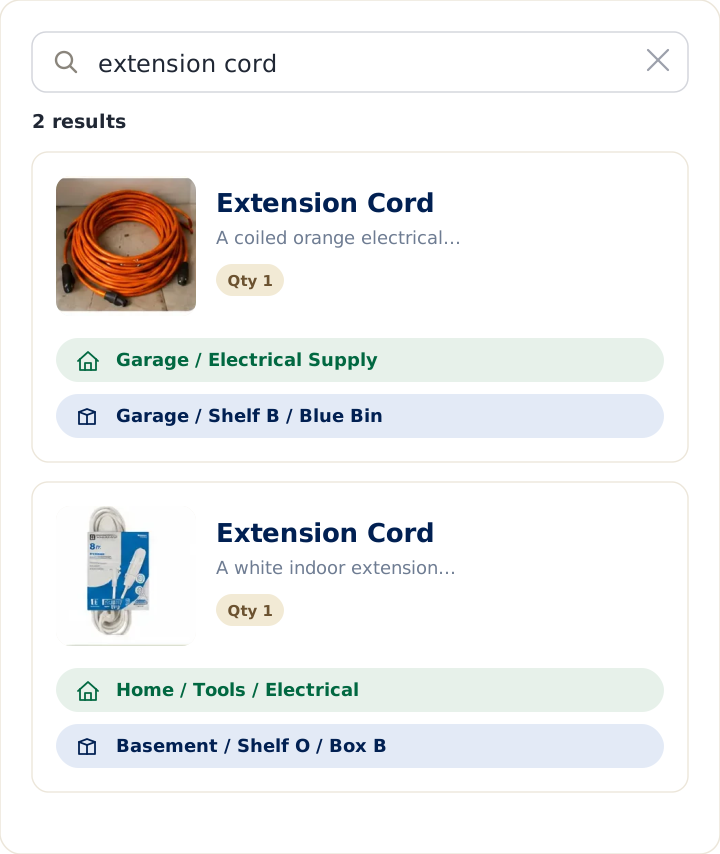
People rarely lose things because they don't own them. They lose them because they can't remember where they put them. Itemtopia and LivingLedger both help you keep track of what you own, but they're designed around different moments. Itemtopia is built around detailed records — receipts, warranties, serial numbers, values, service history, documents, labels, and broad property-management and sharing features. LivingLedger is built around the everyday retrieval moment: you search for an item and see the room, cabinet, drawer, shelf, or box where you saved it.
This is an honest comparison of Itemtopia and LivingLedger for home inventory. Itemtopia is a well-established, documentation-rich app with a decade-plus track record; LivingLedger is a newer, item-first app focused on finding what you already own. Where Itemtopia is strong, this guide says so. The goal is to help you choose the right tool, not to sell you one.
A note on accuracy: every Itemtopia fact below is drawn from Itemtopia's own current website, App Store listing, or Google Play listing. Where a detail isn't published by Itemtopia, this guide leaves it out rather than guess.
Quick answer
Choose Itemtopia if your priority is proof of ownership — receipts, warranties, serial numbers, values, service history, and exportable insurance or estate reports — plus asset-management workflows like QR labels, multi-user access, and a native Android app.
Choose LivingLedger if your priority is everyday retrieval — finding the wood glue, the Christmas lights, the moving box with tax papers — with nested home locations, fast search, photos, and AI-assisted item recognition. Build a complete manual inventory for free; upgrade later only when you want more AI scanning.
Who each app is best for
Itemtopia is built around the record. It has been used in 100+ countries for over a decade and is designed for homeowners, renters, families, collectors, property managers, and estate teams who need a durable, exportable account of what they own. It stores receipts, warranties with expiry reminders, serial numbers, values, service history, manuals, and documents alongside each item, and it can export insurance-claim and estate reports as PDF or CSV. It also supports barcode and QR-based tracking for people who want a formal asset-management workflow, multi-user access with permissions, an AI assistant that can answer questions about items and estimate value, end-to-end encryption, and full offline use. Beyond the mobile apps, Itemtopia also offers browser-based web access, shareable web pages for items, collections, or properties, and email-receipt forwarding that can create inventory records. If your driving need is proof of ownership — for insurance, disaster recovery, downsizing, or estate planning — Itemtopia is genuinely strong, and its depth is its advantage.
LivingLedger is built to become your home's searchable memory. Instead of remembering which shelf, box, or drawer something is in, you remember the item — and LivingLedger remembers the location. It is an item-first system: you add an item, tag where you put it, and later search the item's name to see where it is. Its free plan lets you build a complete manual inventory with no item cap, and its AI photo scan exists mainly to make adding items fast so the list stays alive. If your driving need is everyday retrieval — finding the wood glue, the Christmas lights, the spare HDMI cable, without digging through bins — LivingLedger is built for exactly that. (See the LivingLedger home inventory app overview for more.)
Neither is "better" in the abstract. Itemtopia is designed around deep, documented records and property-management features; LivingLedger is designed around fast everyday retrieval — search the item and see where you saved it. Match the tool to the moment you care about most.
Which app fits your need?
Both apps are capable inventory tools, but each is built for a different kind of need. Match your goal to the tool built for it:
| Need | Better fit |
|---|---|
| Insurance documentation | Itemtopia |
| Receipts, warranties, serial numbers | Itemtopia |
| QR labels / asset-style tracking | Itemtopia |
| Remembering where household items are | LivingLedger |
| Fast setup for messy bins, shelves, drawers | LivingLedger |
| Unlimited free manual household cataloging | LivingLedger |
| Reducing daily search anxiety | LivingLedger |
The sections below walk through the reasoning behind each recommendation.
Pricing comparison
Itemtopia is free to download, with a paid subscription for full features. Itemtopia manages its pricing inside the app through the Apple App Store and Google Play, and it varies by country — so the most reliable figure is whatever Itemtopia’s current App Store or Google Play listing shows. Its business, team, and barcode features are offered separately through Itemtopia Business Pro.
LivingLedger is also free to start. Its Pro plan unlocks unlimited AI scanning for personal household use, subject to fair-use limits. You can see current details on the LivingLedger pricing page.
Because Itemtopia sets its prices in-app and they change by region, the most reliable way to compare cost is to check Itemtopia’s current listing against the LivingLedger pricing page. The more useful question is fit: Itemtopia’s pricing reflects a deeper, business-capable feature set, while LivingLedger is priced for straightforward household use without per-user fees.
Free plan comparison
This is the clearest philosophical difference between the two apps, and it's worth understanding before you invest time adding items.
Itemtopia's free plan lets you add up to 20 items before upgrading to Premium for unlimited inventory. That's enough to explore the app and decide whether it fits, though not a full home's worth of belongings.
LivingLedger's free plan is a complete manual inventory with no item cap. You can log your entire home — every bin, drawer, and shelf — by hand, for free, forever. The 50 lifetime AI scan credits are there if you want the convenience of adding items by photo, but they're optional; manual entry is always unlimited.
The distinction matters because of how it shapes your decision. With Itemtopia, you typically decide whether to subscribe early, before you've fully committed your data. With LivingLedger, you can build out your whole inventory first and only upgrade later if you specifically want AI scanning. That's a difference in user freedom: LivingLedger lets the product prove itself on your real belongings before asking you to pay.
What happens if you cancel
This is a fair question to ask of any subscription app, because the answer affects whether your effort is safe.
LivingLedger documents this clearly: if you cancel Pro, your saved inventory remains available, you can still search it, and you can still add and edit items manually. The unlimited manual inventory is part of the free plan, so it doesn't disappear when Pro lapses.
Itemtopia does not publicly document what happens to data above the 20-item free limit after a Premium subscription ends. Because that behavior isn't stated on Itemtopia's official listings, this guide won't speculate — if it matters to you, confirm it with Itemtopia directly before building a large inventory there. (Itemtopia does offer offline access and end-to-end encryption, and lets you export reports as PDF or CSV, which is worth knowing either way.)
AI scanning comparison
Both apps use AI, but for different jobs.
Itemtopia includes AI image recognition and an AI assistant that can answer questions about your items, help estimate value, assist with documents, and surface maintenance information. Its AI leans toward enriching the record — making each item more informative. Itemtopia also supports barcode and QR-based tracking for people who want a formal asset-management workflow, including creating and printing labels for packaged goods and assets.
LivingLedger's AI is aimed at fast capture: one photo can identify up to 10 items at once, and you review what it finds, adjust anything, and save. The point isn't novelty — it's removing the typing that causes most home inventories to be abandoned, so the list stays current enough to actually find things later. LivingLedger avoids label-printing workflows and focuses instead on simple search, photos, locations, and AI-assisted item recognition for everyday home use.
In short: Itemtopia's AI enriches the record; LivingLedger's AI keeps capture fast and the list current. Neither replaces the core job each app is built for.
Household organization philosophy
The deepest difference isn't a feature — it's what each app believes a home inventory is for.
Itemtopia is records-first. It treats your home as a set of assets to document: what you own, what it's worth, when the warranty ends, where the receipt is. That's exactly what you want for an insurance claim, an estate, or a property handoff, and Itemtopia does it thoroughly. It also supports multi-user access with permissions, which suits shared homes, properties, and small teams.
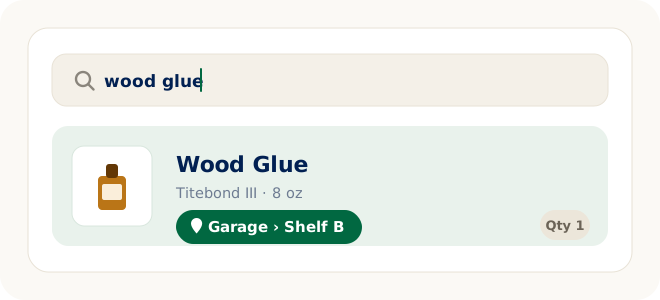
LivingLedger is item-first. It treats your home as a set of things you need to find again. Traditional organization is container-first — you remember which box something is in. LivingLedger flips that: you search for the item, and the system tells you where it is, so you never have to remember which bin, drawer, or tote holds it. Search is the product; the inventory is the database underneath. That item-first interaction model is LivingLedger's core differentiator — more than AI or nested locations.
Both philosophies are valid. If "I need to prove what I own" is your reality, records-first wins. If "I know I own it, I just can't find it" is your reality, item-first wins.
Who should not choose LivingLedger
Choose Itemtopia instead if your primary goal is insurance documentation, warranty management, serial numbers, or maintaining detailed asset records. That is where Itemtopia has the more mature capabilities today — and it is the honest reason many people will be better served by it.
Final recommendation
Itemtopia is a strong choice when your priority is documentation — proof of ownership, warranties, receipts, and insurance records. LivingLedger is built for a different everyday problem: helping you find the things you already own without digging through closets, bins, drawers, shelves, and storage areas.
If you need an asset record, Itemtopia may be the better fit. If you need a calmer, searchable memory for your home, LivingLedger is the simpler choice.
Put simply: Itemtopia is built around detailed records, documentation, and property-management depth; LivingLedger is built around the everyday retrieval moment — search the item and see the room, shelf, drawer, or box where you saved it. Choose the one whose design matches how you'll actually use it.
Start free No credit card required.
Thinking of switching?
Don't rebuild your entire home in one weekend. Start with the dozen or so things you search for most often, and add the rest as you use them. A calm system you actually keep beats a complete one you abandon.
You already own it. You just can't find it.
So before you choose, try a quick experiment: think of the last five things you went looking for in your home. If you can say exactly where each one is right now, your current system is working — keep it. If you can't, that's the gap to close, and it's worth picking the app whose core job matches yours.
And the biggest difference isn't the monthly subscription price — it's when each app asks you to pay. Itemtopia asks earlier, before you've catalogued a full home. LivingLedger lets you build a complete manual inventory first and upgrade later only if AI scanning becomes valuable to you. That timing, more than the dollar amount, is the real choice.
Frequently asked questions
Is Itemtopia free, and what does the free plan include?
Itemtopia is free to download and lets you add up to 20 items with no credit card required, so you can try the app. To track a whole home without that cap, you upgrade to Premium, which adds unlimited items, 2GB of attachment storage, custom categories and fields, multi-user access, QR labels, and exportable reports.
How much does Itemtopia cost?
Itemtopia is free to download, with a paid subscription for full features. Itemtopia manages its subscription pricing inside the app through the Apple App Store and Google Play, and prices vary by country, so check the current App Store or Google Play listing for the latest pricing. Business, team, and barcode features are offered separately through Itemtopia Business Pro.
Is LivingLedger free?
Yes. LivingLedger's free plan includes unlimited manual items — you can inventory your whole home by hand at no cost — plus 50 lifetime AI scan credits if you want to add items by photo. Pro unlocks unlimited AI scanning for personal household use, subject to fair-use limits, and your saved inventory stays available even if you stop paying for Pro.
What's the main difference between Itemtopia and LivingLedger?
Itemtopia is records-first: it's built around detailed documentation — receipts, warranties, values, exportable reports, labels, and property-management features. LivingLedger is item-first: it's built around everyday retrieval — you search for an item and see the room, cabinet, drawer, shelf, or box where you saved it.
Which app is better for insurance and disaster documentation?
Itemtopia is the stronger choice here. It's designed around proof of ownership, with receipts, warranties, serial numbers, estimated values, service history, and PDF or CSV exports you can hand to an insurer. LivingLedger can record items and photos too, but documentation and exportable insurance reports are Itemtopia's focus.
Which app is better for quickly finding things you already own?
LivingLedger is built specifically for this. You search the item's name and see its exact location — nested up to three levels deep, like Garage then Shelf B — so you don't have to remember which container it's in. That item-first retrieval is its core purpose.
Does either app work on Android?
Itemtopia has native Android and Apple apps, and now also offers a browser-based web version. LivingLedger is available through its iOS app and a web app that runs in modern browsers, including Android Chrome; it does not have a native Android app.
What happens to my data if I stop paying?
With LivingLedger, canceling Pro keeps your saved inventory available — you can still search it and add or edit items manually, because unlimited manual items are part of the free plan. Itemtopia does not publicly document what happens to items above the 20-item free limit after Premium ends, so if that matters to you, confirm it with Itemtopia before building a large inventory.
Related comparisons
Weighing other options for tracking household items? These guides compare the common alternatives:
- Compare all home inventory methods — the full comparison hub
- Home inventory spreadsheet vs. app — the brand-neutral overview
- Excel vs. LivingLedger
- Google Sheets vs. LivingLedger
- Apple Notes vs. LivingLedger
- Notion vs. LivingLedger
Still deciding? The LivingLedger FAQ answers common questions about how it works.